Showing posts with label with. Show all posts

Thursday, March 12, 2015

Reach New Customers Integrate with Google Apps in the Google Apps Marketplace

At tonights Campfire One, we launched the Google Apps Marketplace, to make it easier for you to create applications that integrate deeply with Google Apps, and give you access to our more than 2 million businesses and 25 million Google Apps users.

App integration is accomplished using existing standards such as OpenID, OAuth and Atom Publishing Protocol. The purchase experience is a simple "Add it now" button that streamlines provisioning and data authorization steps for admins, and it gives end users a link to your app in their Google universal navigation bar for one click access and single sign-on.

So what does it take to offer an integrated app for sale in the Google Apps Marketplace?
1) Have or create a business-related cloud application, on the hosting platform of your choice
2) Integrate your cloud app with Google Apps by:
  • Adding a single sign-on (SSO) feature using OpenID (required) - Enable your users to access your app more easily and avoid multiple passwords by becoming an OpenID relying party.

  • Offering features that integrate data between your app and Google Apps via Google Data APIs (optional) - Applications, like people, work better when they collaborate. Whether your app needs to schedule events, import or export documents and spreadsheets, sync contacts or publish information to sites, the APIs are ready. 

3) Create a manifest file which will drive your app installation flow and subsequent life cycle (URLs for setup, configuration, support and login, as well as which Google Data APIs the application requires), pay a $100 one-time listing fee, and submit it.

Once your application is approved it is easily discoverable by the millions of Google Apps customers. And in return for a streamlined purchase and install process, and integration features exclusive to installable apps, we ask to share 20% of your revenue from new customers. Our billing service, coming soon, is designed to be flexible enough to accommodate both established developers and brand new startups, and will automatically manage the Marketplaces revenue share fees. It will enable users to buy directly from the Marketplace using their existing Checkout account, and offer a unified bill for all purchases. Until this service is available, you can use your existing billing and payment mechanism for your app. For more details on how revenue sharing will work and when it will become a requirement, see the marketplace billing policy.

More than 50 developers have already integrated their apps with Google Apps and have made them available in the Google Apps Marketplace. We hope you will join them and we cant wait to see what new & innovative applications you will bring to the market. And if youre also a Google Apps customer, check these great apps out.

If you havent already, watch the Campfire One event on YouTube:


Wednesday, March 11, 2015

Expand your reach with web apps

Apps Script developers that wished to share their work with a larger audience have traditionally turned to the Script Gallery, which allows other users to copy and install the script into their own spreadsheets. While appropriate for custom functions and spreadsheet extensions, it didnt fit well when distributing more complex functionality and apps.

In this blog post well be highlighting a newer way to distribute your scripts: deploying them as a web app and publishing them to the Chrome Web Store. Compared to the Script Gallery, the Chrome Web Store has some distinct advantages for developers:

  • Automatic updates - Change your code, do some testing, and publish a new version to update the app for all users instantly.
  • More information - Detailed descriptions, promotional images, ratings, and reviews lead to compelling listings.
  • Greater discoverability - Visit the Chrome Web Store site to learn about the benefits.

Looking through the Script Gallery we believe there are many scripts that would be a great fit for the Chrome Web Store and would benefit from the advantages listed above. Some aspects of a good candidate script are:

  • Custom UI - Users interact with your script through a custom user interface, not via custom spreadsheet functions or onEdit triggers.
  • Background processing - Your script uses time-based triggers to do work in the background and doesnt require that the Google Spreadsheet is open.
  • Not primarily about Google Spreadsheets - Your scripts main focus isnt spreadsheets and you utilize a variety of services to provide separate functionality.

A great example of such a script is Gmail Meter, which was first launched in the Script Gallery but has since been published to Chrome Web Store. Now users can install and run the script without needing to create a spreadsheet, see script code, or set up triggers. It may take a little work to update a spreadsheet-based script to use the web app model, and some common tasks are:

  • Implement doGet() - Instead of showing your custom UI on the spreadsheet with Spreadsheet.show(), put the same code into the doGet() method and return the final UiInstance or HtmlOutput object.
  • Deploy as a web app - Configure your script to run as a web app, which will assign it a unique URL. In most cases youll want the web app to run as the user so that it can access their services.
  • Remove references to active spreadsheet - When published as a web app there is no active spreadsheet, so if your script needs access to a spreadsheet then youll need to use SpreadsheetApp.openById() instead. You can use the DocsList service or the DocsListDialog UI widget to help users locate the desired spreadsheet.
  • Handle multiple users - When published as a web app users access the same copy of the script, so you may need to change the way you organize data to avoid conflicts. UserProperties work well for small settings, and when using ScriptDb make the users login ID or email address part of the objects so that you can filter for them later.

Publishing to the Chrome Web Store only takes a few clicks, and we provide instructions for the process in our documentation. We hope that you are inspired to take your scripts to the next level, and if you have any questions along the way feel free to reach out to us on StackOverflow or Google+.


Eric Koleda profile

Eric is a Developer Programs Engineer based in NYC on the Google Apps Script team. Hes previously worked with the AdWords API and enterprise content management software.

Using OAuth 2 0 with the Provisioning API in Python

Google Apps domain administrators can programmatically create and manage users, groups, nicknames and organization units using the Provisioning API.

Support for OAuth 2.0 in the Provisioning API allows Google Apps domain administrators to authorize access to the API without sharing their passwords. After the administrator agrees to grant access, an OAuth 2.0 token makes sure that an application gets access to the right scope of resources for API calls.

We have recently added a new sample to the Python client library to demonstrate authorization with OAuth 2.0 for an application combining the Provisioning API and the Email Settings API. This sample app iterates through each user on a domain and creates an e-mail filter to mark all messages from outside the domain as “read.” For a step-by-step walkthrough of the sample, have a look at our new article: OAuth 2.0 with the Provisioning and the Email Settings API.

We would be glad to hear your feedback or any questions you have on the Google Apps Domain Info and Management APIs forum.

Shraddha Gupta   profile

Shraddha is a Developer Programs Engineer for Google Apps. She has her MTech in Computer Science and Engineering from IIT Delhi, India.

Monday, February 16, 2015

Removing Extreme Values and Outliers with NEST

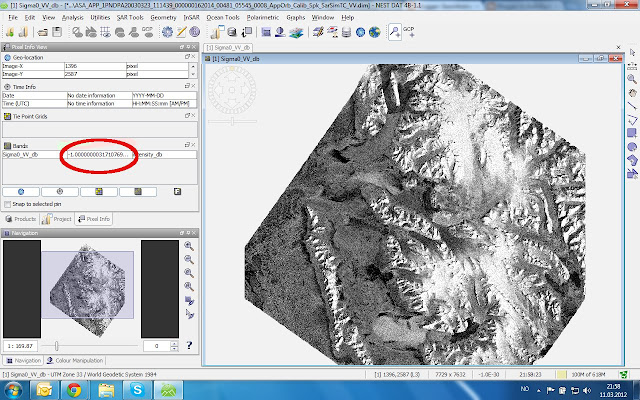
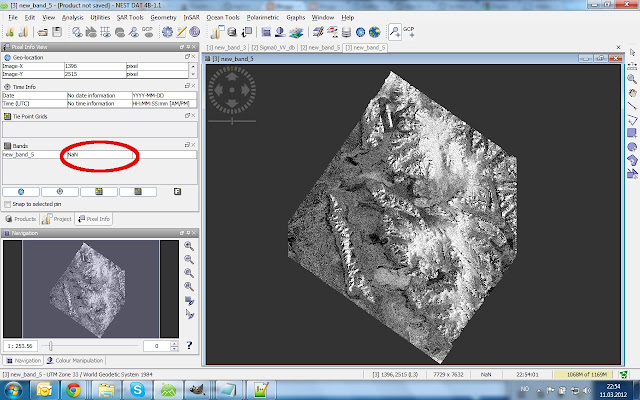
Values outside of the processed SAR image should be NAN, i.e. "no value" and usually are, but at some point in my processing chain -- I think when converting the calibration to dB -- the NAN value is converted to a value of "-1E-30" For further processing, I wish to get these values to NAN again. Especially when mosaicing, the values of overlapping areas of several SAR images should not be influences by this invalid outlier


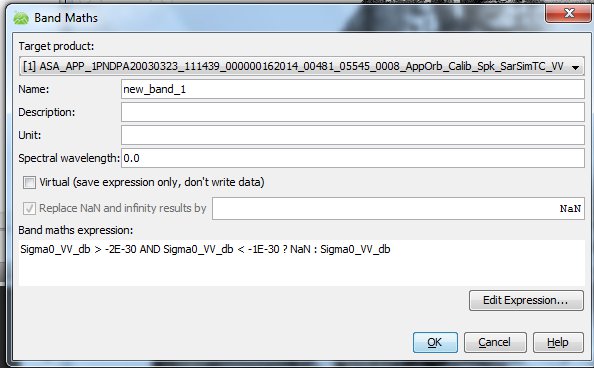
To change band values I choose Utilities>Band Math and get the following windows:


The Band Math uses a C-code If-expression which in this case says: If the image value is between -1E-30 and -2E-30, then replace it by NaN, otherwise keep the original value.

The following is not very clear to me -- You have to deselect "virtual" and the result is written into a new channel (save your file afterwards).

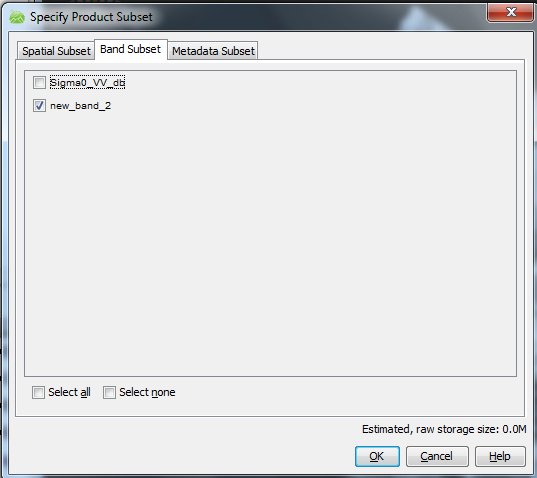
It would seem that you then simply could delete the original channel and retain the new band, but that does not seem to work, somehow the new band is still referenced to the original one. You have to choose Utilities>Spatial Subset from View to do the job. Here I go straight to the "Band Subset" tab and deselect the original band:


If I know choose "ok", you get a new product with the one corrected channel, which you then can save to disc.

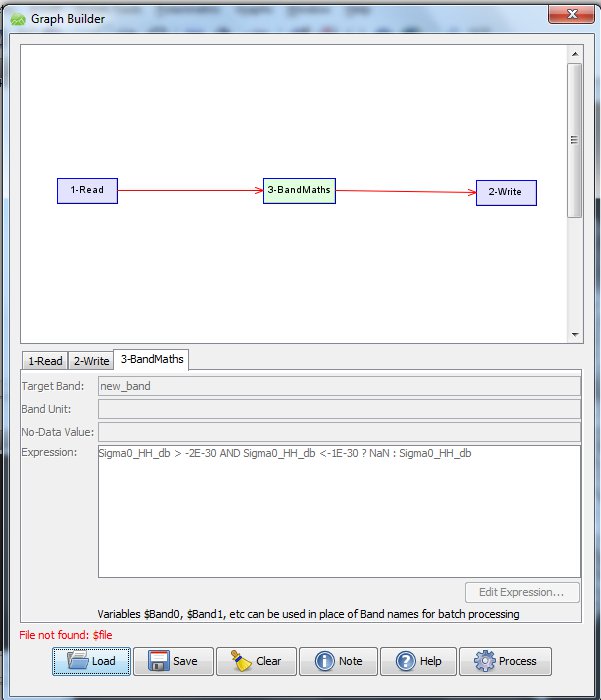
This is of course too tedious if you have dozens of images, so to do this in batch mode, I create the processing line in "Graph Builder"


Then I save this graph as an XML file. You edit this XML-file so that the input and output file names have a place holder "$file" and "$target". Look in 1-Read that it reads "<file>$file</file>" and in 2-Write that it reads "<file>$target</file>".


Now you create a RemoveOutliers.bat file containing


for /r C:Usersmaxlocation_of_files %%X in (*.dim) do (gpt   C:Usersmaxlocation_of_XMLfile RemoveOutliers.xml -Pfile="%%X"  -Tfile=" C:Usersmaxlocation_of_new_files\%%~nX.dim")

What happens here?
  1. The for-command goes through the directory containing your files to find files named "*.dim" and passes the file name to "%%X".
  2. For each of these input files "-Pfile="%%X", the NEST command "gpt" applies the Graph Builder production chain saved in "RemoveOutliers.xml" 
  3. The output is saved in the parameter -Tfile, which here is written "%%~nX.dim", the same filename but in a new directory (but you also can give it a new name like   "%%~nX_NaN.dim" if you wish)
You navigate the DOS window (type "cmd" at Windows Start> "search programs and files" to open it) to the directory containing RemoveOutliers.bat, then type "RemoveOutliers.bat" and all scenes in the specified folder will be processed.

Curiously, and conveniently, if you run Band Math using "gpt" from commandline, the new file only contains the new band, so no reason for manually deleting the original band as in the NEST GUI version above is needed.

The Result (what is dark outside the scene is now NaN)


Wednesday, February 4, 2015

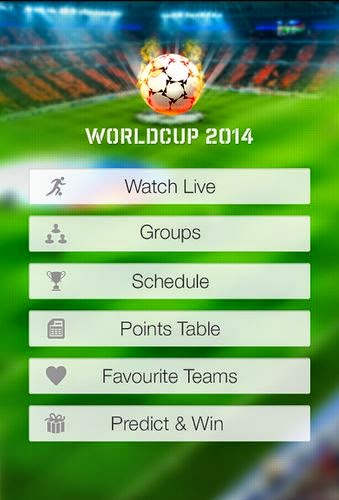
WORLD CUP 2014 Live Streaming with Android App

WORLD CUP 2014

Live Streaming with Android App 

Watch Live World Cup 2014  Fifa


FIFA World Cup 2014 Brazil

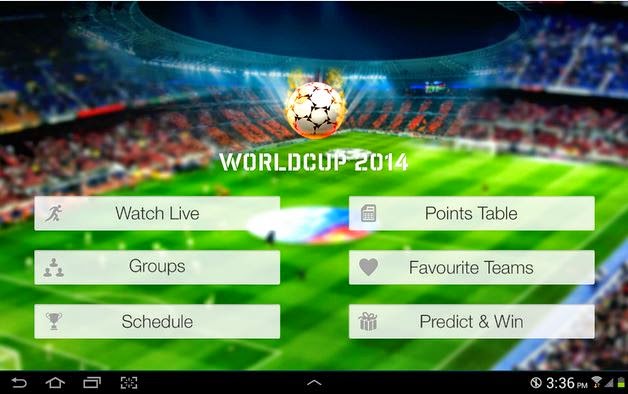
Did you Miss the Fifa world cup 2014 football match while on working or driving ? It is very difficult for the soccer lovers ,football fans to miss the single match of football world cup 2014 brazil. Android wont let you miss the single fifa world cup 2014 match as Android is participated and celebrating world cup brazil with its lovers and customers. World Cup 2014 is famous Android app to Watch Live world cup 2014 when you are not on TV. World Cup 2014 Android app provide you complete free live streaming  world cup 2014 matches so football lover will not miss any world cup match . Live Commentary ,Goals status , Live update about your favourite football team.This App is compatible with tablets and smartphones

App Features :


FIFA World Cup 2014 Brazil

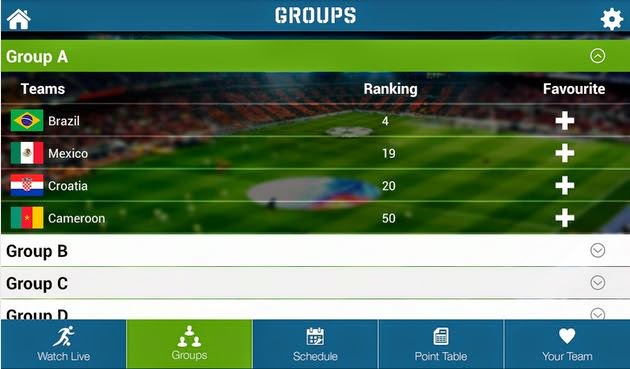
 You can see World Cup 2014 Groups and their ranking. 


FIFA World Cup 2014 Brazil

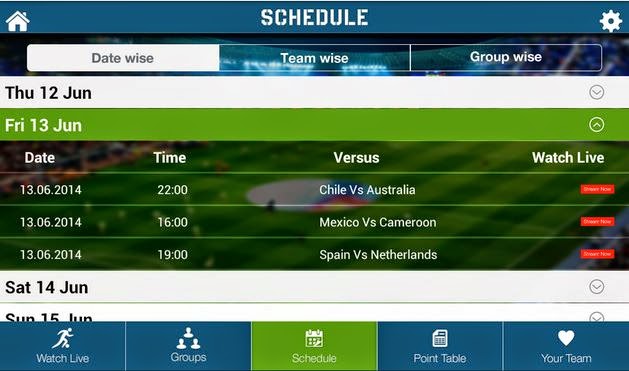
FIFA World Cup 2014 Schedule and Match Time. 


FIFA World Cup 2014 Brazil

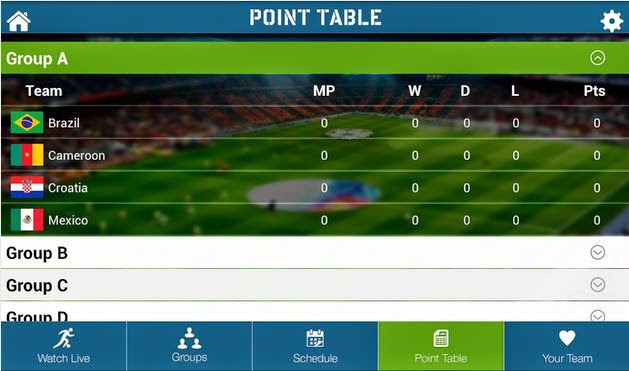
FIFA World Cup 2014 Brazil Point Table for all the soccer teams.


FIFA World Cup 2014 Brazil

Football World Cup 2014 predict and win prizes. 

Installation :

apk Size: 6.2 MB
Version: 1.1
Android OS: 4.0 and Above
Developers: GZ Systems Ltd.
Play Store Rating :4.5
Live World Cup 2014 App Download